
Power & electrical
How to Know When Your RV Loses Shore Power — Before It Matters
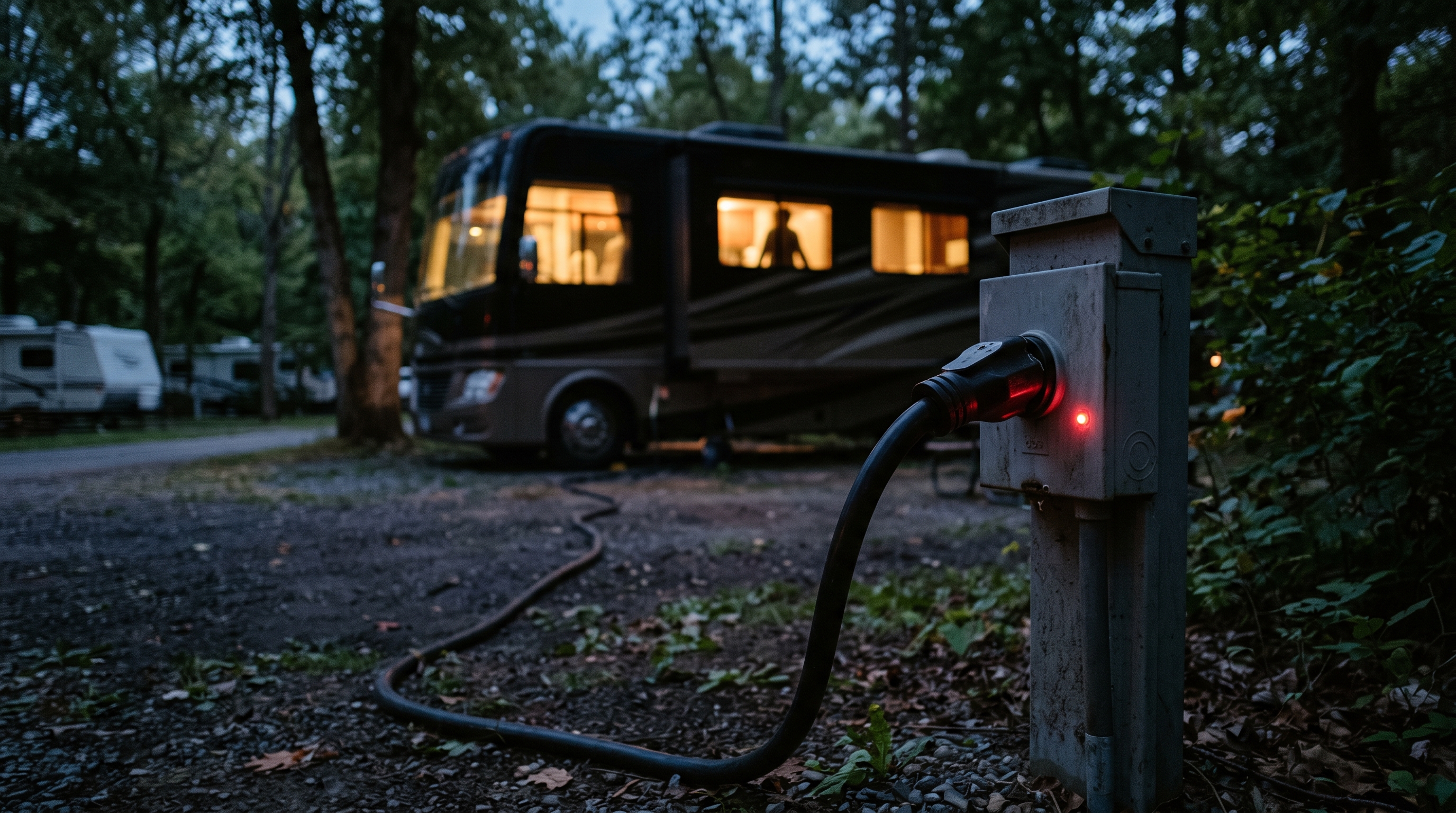
Search any RV forum for "shore power alert" and the same question appears over and over: "Alert/Alarm for Losing Shore Power???" "Power Outage Alert." "How To Know When Shore Power Is Lost." The honest answer is uncomfortable: there is no great off-the-shelf product for this. Here are the five workarounds RVers use.
Why losing shore power is invisible
The better your electrical system, the less you notice a power failure: when the pedestal drops, the inverter takes over instantly, and lights, TV, and residential fridge keep running as if nothing happened.
The inverter can't carry the air conditioner: on most rigs the AC dies with the pedestal, and a hot afternoon can push the interior to dangerous temperatures in under an hour — with your dog inside while you're at dinner. (See our pet safety guide.) A power alert beats a temperature alert: temperature says the RV is already hot; power says it's about to get hot, often 30 to 45 minutes earlier.
All the ways a pedestal fails you
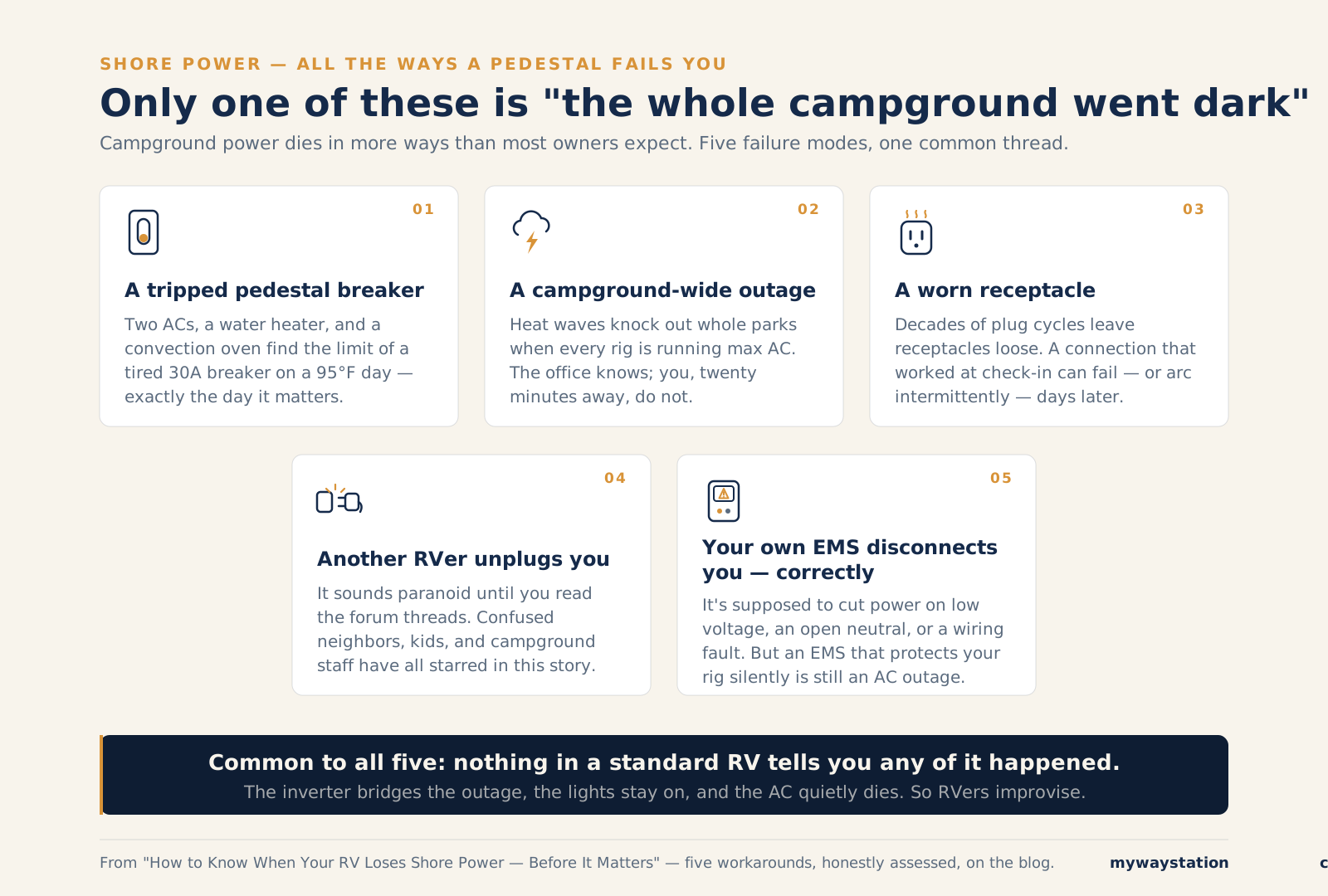
Five failure modes — a standard RV reports none of them.
- A tripped pedestal breaker — two ACs and a water heater find a tired 30A breaker's limit on a 95°F day.
- A campground-wide outage — heat waves knock out whole parks just when every rig runs max AC.
- A worn receptacle — loose, heat-damaged contacts fail or arc days after check-in.
- Another RVer unplugs you — sounds paranoid until you read the threads.
- Your own EMS disconnects you — correctly — low voltage, open neutral, wiring fault. Protection, but still an AC outage for your pets. (See our surge protector and EMS guide.)
So RVers improvise.
The workarounds RVers actually use
1. Cellular monitor with power-loss alerts (MarCELL)
The closest thing to a plug-and-play shore power monitor. MarCELL checks power every 10 seconds, alerts by text, call, or email, runs up to 48 hours on battery, and reports when power returns. Plans from $8.25/month, in Verizon and AT&T versions.
The honest catch: it watches the RV-side outlet it's plugged into, not the pedestal, so an inverter-backed outlet fools it too. Put it on a non-inverter-backed circuit and it's the best plug-and-play option. See our full monitoring system comparison.
2. Hughes Power Watchdog + RV Whisper
The Watchdog is a pedestal-side surge protector/EMS reporting voltage, amps, and faults over Bluetooth — the right measurement, but Bluetooth ends at the campsite. An RV Whisper station relays its data online for text or email alerts anywhere; Hughes sells the station as the RVM21S — a supported pairing, and the most correct workaround here.
The honest catch: the chain needs campsite internet, a powered hub, and two companies staying friends — and that internet usually rides the power that just failed. Every link can silently die.
3. Generator auto-start as an accidental alarm
Rigs with automatic generator start (Onan EC-30, Magnum AGS, or SilverLeaf's Rozie web remote on RV-C coaches) can fire on low battery voltage, so a shore power failure eventually starts the generator and the AC comes back. Some Rozie users on iRV2 run this as their pet backstop.
The honest catch: it's a delayed response, not an alert — plain AGS sends no message; even Rozie owners get no shore-loss push. The generator starts when the battery sags, possibly hours after the pedestal failed.
4. A smart plug + phone automation
The budget hack: a WiFi smart plug — or a MySpool power-failure alert, which texts on power-off and power-restored, no subscription — on a shore-power-only outlet, with "offline" as the outage signal. One iRV2 owner reports MySpool texting within 30–60 seconds, router kept on an inverter-backed circuit.
The honest catch: the network must survive the outage — router on inverter power, plug not — and "offline" alerts are infamous for false positives; most people eventually mute them. Cost: $10–25. Reliability to match.
5. The DIY route: Home Assistant + a Shelly sensor
For tinkerers: a Shelly relay on a shore-power-only circuit reports to Home Assistant, which fires a critical phone alert when mains power drops — over a cellular router or Starlink, on a small UPS or house battery. Built well, it checks all three boxes: right circuit, survives the outage, alerts anywhere.
The honest catch: it only works if you build it well and keep it working — you're the integrator, electrician, and on-call engineer. But every failure is yours to fix. Our smart RV Home Assistant guide covers this exact build.
What a real solution would require
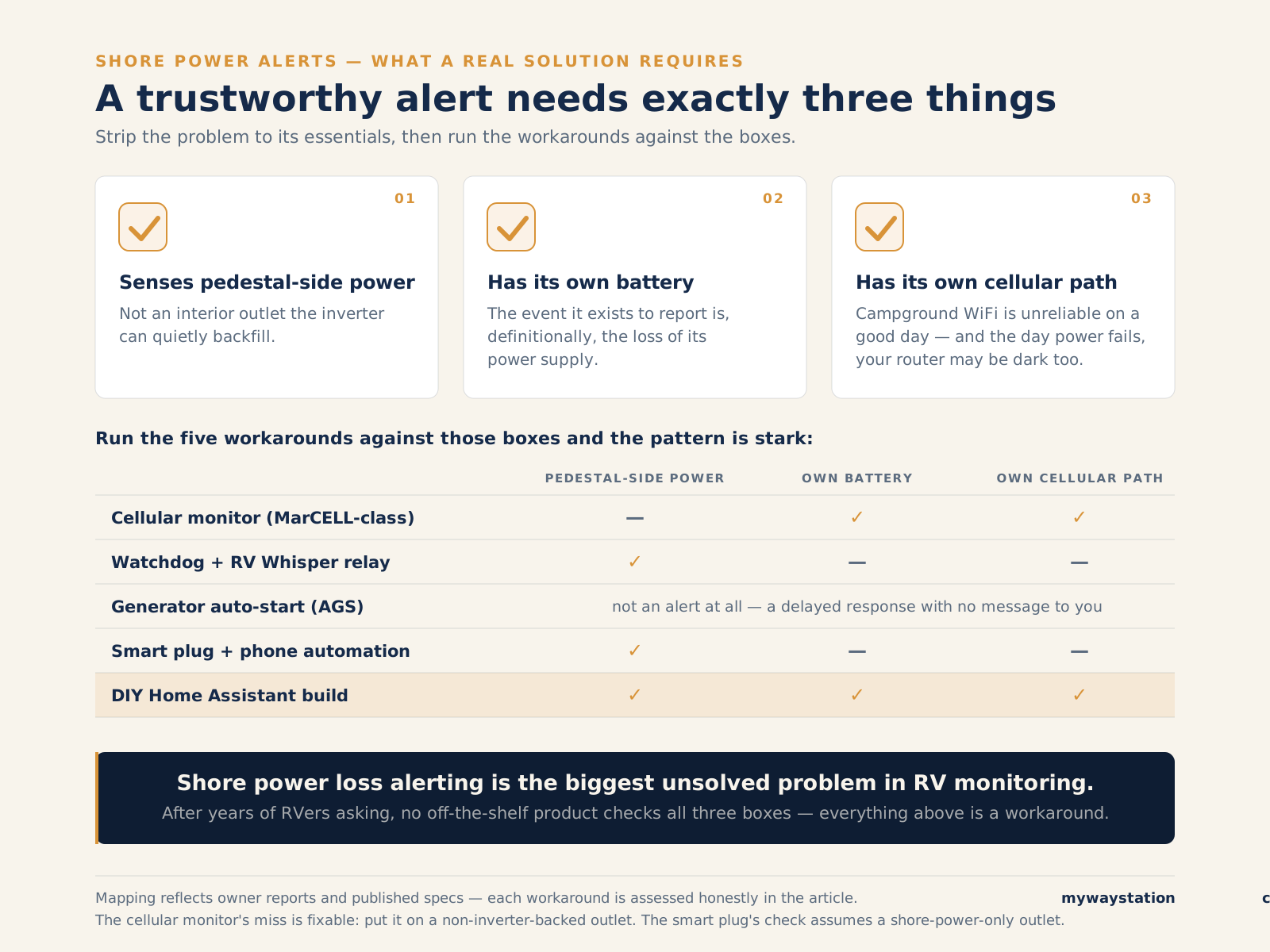
The three-box test: nothing off-the-shelf checks all three.
A trustworthy alert needs three things:
- Senses pedestal-side power — not an outlet the inverter can backfill.
- Has its own battery — the event it reports kills its power.
- Has its own cellular path — your router may be dark too.
Only the DIY stack checks all three — because you built each box yourself.
The gap, stated plainly
Shore power loss alerting is the biggest unsolved problem in RV monitoring. It starts the most dangerous common scenario, it's invisible by design, and no off-the-shelf product senses the pedestal, carries its own battery, and its own connection. Thousands of owners running these Rube Goldberg chains is the proof the real product is missing.
What to do today
- Traveling with pets: MarCELL on a non-inverter outlet plus temperature alerting — before your next trip.
- Motorhome with auto-gen-start: AGS to respond, a cellular monitor to notify.
- Seasonal site with good WiFi: Watchdog + RV Whisper, if you accept the internet risk.
- Rig in storage: battery and temperature matter more — see our storage monitoring guide.
- Tinkerers: the Home Assistant build. Budget a weekend.
FAQ
How do I know if my RV loses shore power while I'm away? You won't — the inverter bridges the outage silently. Something must notice for you: a cellular monitor on a non-inverter outlet, a pedestal-side EMS with a relay, or a DIY sensor.
Does an inverter mask a power outage? Yes — that's its job. It switches over in milliseconds; lights, TV, and fridge keep running while the AC quietly dies.
Will my surge protector alert me if power goes out? Within Bluetooth range, often — units like the Hughes Power Watchdog show faults on your phone. From across town, no — you need a relay like RV Whisper, and the relay needs power of its own.
What is the best RV power outage alert device? For plug-and-play, MarCELL — cellular power-loss alerts and up to 48 hours of battery — on an outlet the inverter doesn't back up. Pedestal-side: Watchdog + RV Whisper. Full control: DIY Home Assistant. See our full comparison.
What is RV low voltage protection? An EMS function that disconnects your rig when pedestal voltage sags below a safe threshold (typically ~104V) to protect ACs and electronics. Just know a protective disconnect is also an outage you won't hear about. See our EMS guide.
Bottom line
Losing shore power is RVing's most consequential silent failure — common, invisible, and the start of the clock every pet owner dreads. Until the purpose-built device exists, layer workarounds: cellular monitor on the right outlet, EMS at the pedestal, maybe a generator or DIY stack. Then test them by actually pulling the plug — almost nobody does.
Stay in the loop
Occasional updates from the road and the workbench — what we're learning, what we're building. No spam, easy out.